The problem it removes
Index and basket moves can hide the real story. One or two components may be driving the whole composite, while the rest of the market quietly disagrees.
Macro Analysis
Follow basket performance and component contribution to understand where broad moves are really coming from.
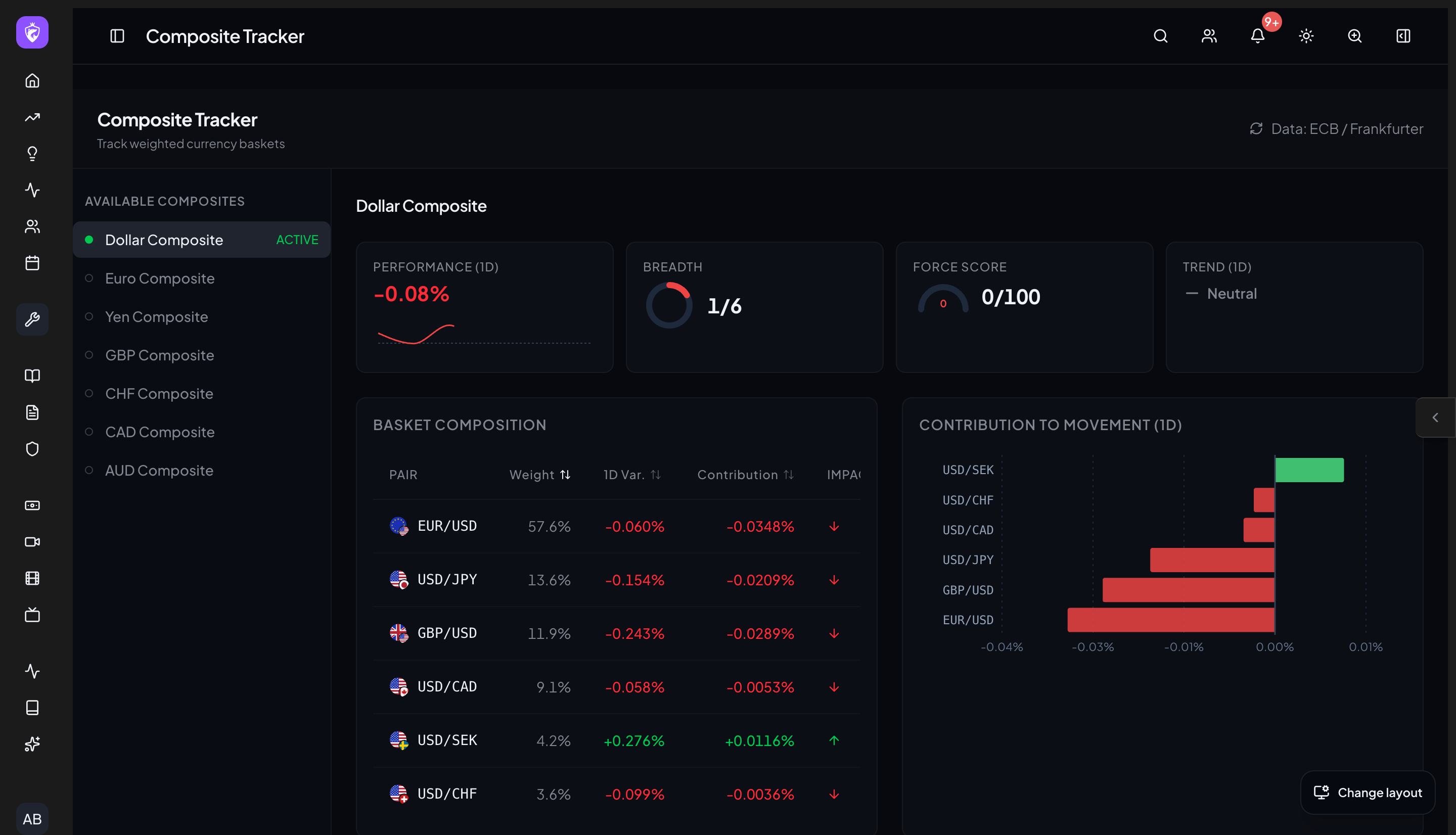
Understand the problem, use the workflow, and turn each session into feedback you can act on.
Index and basket moves can hide the real story. One or two components may be driving the whole composite, while the rest of the market quietly disagrees.
Composite Tracker breaks a composite into its parts. Traders can see performance, contribution, and underlying movement in one place, making it easier to judge whether a theme has breadth or is being carried by a few names.
Follow basket performance and component contribution to understand where broad moves are really coming from.
Choose the basket or macro composite you want to monitor.
See which components are driving the move.
Use the signal across live market, instrument, and risk tools.
No. Composite Tracker is a cleaner way to see what sits under a market move, without manual spreadsheet work. Even intermediate traders benefit from breadth context.
Continue the workflow
Each WTE tool is designed to work with the decisions before and after it. Explore the connected workflows below to keep planning, context, execution, and review in one place.
Included in one WTE subscription
Use Composite Tracker with the planning, risk, market, journal, and community tools around it.